


3D Printer Buying Guide 2026: How to Choose the Right One
How to Choose the Right 3D Printer: A Practical Guide for Beginners and Makers
Buying your first 3D printer can feel a bit like walking into a hardware store without a shopping list. There are dozens of brands, confusing specs, and terms like "bed leveling" or "layer resolution" thrown around as if everyone already knows what they mean. The good news is that once you understand the basics, choosing the right machine becomes a lot less overwhelming.
This guide walks through the essentials: the different types of 3D printers, what to look for before buying, which materials suit which projects, and how to keep your machine running smoothly once it's set up.
Why 3D Printing Has Become So Accessible
A decade ago, 3D printing was mostly the domain of engineers and hobbyists willing to tinker with finicky machines. That's changed significantly. Modern printers are more reliable, easier to calibrate, and often come with auto-leveling beds and simplified software that removes much of the old guesswork.
This shift has opened the door to a much wider range of users:
- Students prototyping design projects or building models for coursework
- Hobbyists printing miniatures, cosplay props, or home organisation tools
- Small business owners creating custom parts, packaging mockups, or replacement components
- Educators using printers as hands-on teaching tools in STEM classes
Whatever the use case, the core decision still comes down to the same few questions.
Understanding the Main Types of 3D Printers
Before comparing specific models, it helps to understand the two most common printer technologies available to home and small-business users.
FDM (Fused Deposition Modeling) Printers
FDM printers work by melting a plastic filament and extruding it layer by layer to build an object. They're the most widely used type for beginners because they're:
- Generally more affordable to buy and run
- Compatible with a wide range of filament types
- Easier to maintain with fewer consumables involved
FDM printers are a solid choice for functional parts, prototypes, household items, and larger prints where fine surface detail isn't the top priority.
Resin (SLA/MSLA) Printers
Resin printers use light to cure liquid resin into hardened layers, producing much finer detail than most FDM machines. They're popular among:
- Miniature and tabletop game enthusiasts
- Jewellery designers
- Dental and medical model makers
- Anyone who needs smooth, highly detailed surfaces
The trade-off is that resin printing involves more post-processing (washing and curing prints) and requires careful handling of liquid resin, which can be messy and requires proper ventilation.
Key Features to Consider Before Buying
Once you've decided between FDM and resin, it's worth narrowing things down further based on a few practical features.
Build Volume
This refers to the maximum size of object the printer can produce. If you're planning to print small figurines or parts, a compact build volume is fine. For larger projects like helmets, enclosures, or multi-part assemblies, you'll want a printer with a bigger print bed.
Print Speed
Newer generations of FDM printers have made major speed improvements compared to older models. If you're printing frequently or for a small business, faster print speeds can save significant time over weeks and months of use.
Ease of Calibration
Auto bed-leveling and assisted calibration features reduce the amount of manual fiddling required before each print. For beginners especially, this can be the difference between a smooth first experience and a frustrating one.
Multi-Colour or Multi-Material Capability
Some newer printers support multiple filament colours or materials in a single print job, which is useful for more complex or decorative projects without needing to manually swap filament mid-print.
Noise and Enclosure
If the printer will live in a shared space like a living room or office, consider models with enclosed frames, which tend to run quieter and also help maintain consistent internal temperatures for better print quality.
Choosing the Right Filament or Resin
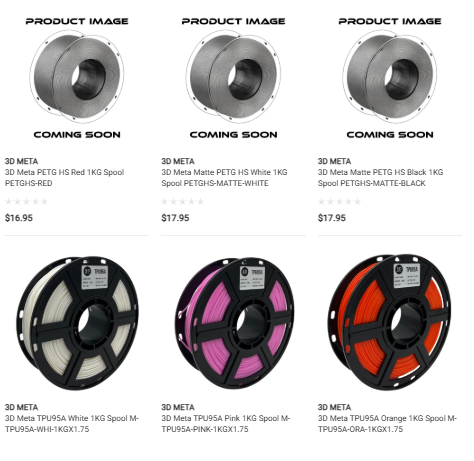
Material choice matters just as much as the printer itself. Here's a quick breakdown of common filament types:
- PLA – The easiest material to print with, biodegradable-friendly, and ideal for beginners, décor items, and low-stress parts.
- ABS – More durable and heat-resistant than PLA, often used for functional parts, but requires a heated enclosure to prevent warping.
- PETG – A good middle ground between PLA and ABS, offering strength, some flexibility, and better resistance to moisture and outdoor conditions.
- Resin – Used specifically with SLA/MSLA printers for high-detail models, miniatures, and prototypes.
If you're just starting out, PLA is generally the most forgiving option to learn on before experimenting with more advanced materials.
Common Mistakes First-Time Buyers Make
A few missteps tend to come up again and again for new 3D printing enthusiasts:
- Buying based on price alone, without checking whether the printer suits the intended use case
- Skipping bed leveling checks, which leads to failed or uneven prints
- Ignoring ventilation needs, especially with ABS or resin printing
- Not budgeting for consumables, like extra nozzles, build plates, or cleaning supplies
- Overlooking community support, since printers with active user communities make troubleshooting much easier
Taking the time to research before purchasing can save a lot of frustration down the line.
Getting Started With Your First Print
Once your printer is set up, it's worth starting with a few test prints before diving into complex projects. Many printers come with pre-loaded test files specifically designed to check calibration, bed adhesion, and print quality. Successfully completing a few of these gives you a good baseline understanding of how your machine performs before attempting more detailed models.
Maintaining Your 3D Printer Long-Term
Like any piece of equipment, 3D printers perform best with a bit of regular upkeep:
- Clean the print bed periodically to maintain good filament adhesion
- Store filament in a dry, sealed environment to prevent moisture absorption
- Check and tighten belts or screws every few months, especially on FDM machines
- Replace nozzles when you notice inconsistent extrusion
- Keep firmware and slicer software updated for improved performance
A little routine maintenance goes a long way toward extending the lifespan of your printer and keeping print quality consistent.
Final Thoughts on Choosing a 3D Printer
There's no single "best" 3D printer — the right choice really depends on what you plan to make, your budget, and how much time you're willing to spend learning the ropes. Beginners often do best starting with an easy-to-calibrate FDM printer and PLA filament, while those chasing fine detail may prefer to invest in a resin setup from the outset.
If you're weighing up your options and want to browse printers, filament, and resin from established brands in one place, you can check out the range at https://cartridgeworld.com.au/3d-printing/ You can also reach out by email or follow along on social media for updates on new stock and printing tips.
Whichever machine you land on, the best way to build confidence is simply to start printing, learn from each attempt, and refine your process over time.
Frequently Asked Questions
1. What's the best 3D printer for a complete beginner?
An entry-level FDM printer using PLA filament is generally the easiest starting point. These machines are more forgiving of small calibration errors and don't require the extra handling steps that resin printing involves.
2. Is resin printing more expensive than FDM printing?
Resin printing can be more expensive overall once you factor in the cost of resin, isopropyl alcohol for cleaning, curing equipment, and protective gear. FDM printing tends to have lower ongoing costs.
3. How long does a typical 3D print take?
Print times vary widely depending on the size, complexity, and layer height of the object — anywhere from under an hour for a small item to many hours for larger or highly detailed prints.
4. Can I use different filament brands in the same printer?
In most cases, yes. Most FDM printers are compatible with standard filament diameters (commonly 1.75mm), though it's worth checking your specific printer's recommendations for best results.
5. Do I need special ventilation for 3D printing at home?
Basic PLA printing usually doesn't require special ventilation, but materials like ABS and resin release fumes that benefit from a well-ventilated space or an enclosed printer setup.

 English
 Arabic
 Spanish
 Portuguese
 Deutsch
 Turkish
 Dutch
Dutch
 Italiano
 Russian
 Romaian
 Portuguese (Brazil)
 Greek
Greek
