What Professional Embroidery Digitizing Services Look for in Your Artwork
Introduction: Why Your Artwork Gets Rejected or Delayed
You found a great embroidery digitizing service. You uploaded your logo. You paid the fee. Then you waited. And waited. Finally, an email arrives asking for a better file, a different format, or a clearer version of your artwork. Frustrating, right?
Here is the thing most people do not realize. Professional Embroidery Digitizing Services are not mind readers. They cannot work magic with a blurry screenshot or a faded photocopy. Your artwork is the blueprint for every stitch decision they make. Give them a bad blueprint, and you will get bad embroidery. Or worse, they will send your file back and ask you to start over.
Let me walk you through exactly what professional digitizers look for when they receive your artwork. Once you understand their needs, you will get faster turnaround, lower costs, and better results on your first try.
Vector Files vs. Raster Images: The Number One Thing They Check
The very first thing a professional digitizer does when they receive your artwork is look at the file type. They check whether you sent a vector file or a raster image. This single factor determines how much work they need to do before they even start digitizing.
Vector files use mathematical formulas to describe shapes. Think EPS, AI, CDR, or SVG formats. You can zoom in five thousand percent on a vector logo, and the edges stay perfectly sharp. No pixelation. No blur. Just clean, crisp lines. Professional digitizers love vector files because they can import them directly into their software and start tracing immediately.
Raster images use tiny colored squares called pixels. Think JPG, PNG, GIF, or BMP formats. Zoom in too far, and the image turns into a blurry mess of colored blocks. Raster images require manual tracing. The digitizer has to redraw every curve, every corner, every detail. That takes time, and time costs money.
Here is my honest advice. If you have a vector version of your logo, send it. Even an old one. Even one from ten years ago. If you do not have a vector file, hire a graphic designer for thirty minutes to convert your logo to vector. That small investment saves you digitizing fees and produces a cleaner final result.
Size Matters: Physical Dimensions They Need to Know
Here is a mistake I see constantly. Someone sends a beautiful logo file but forgets to tell the digitizer how big it needs to be on the final product. That creates huge problems.
Embroidery does not scale like printing. You cannot take a design digitized for a three-inch patch and simply enlarge it to six inches on your machine. The stitch angles, densities, and underlay all need to change. A design that looks perfect at three inches will sew like garbage at six inches with the same file.
Professional digitizing services always ask for your finished size for a reason. They need to know exactly how tall and how wide your design will sew. If you plan to put the same logo on a shirt pocket and on the back of a jacket, those are two different digitizing jobs. Pay for both. Trying to use one file for both sizes will ruin both projects.
Be specific with your dimensions. Do not say medium or about three inches. Say exactly 2.75 inches wide by 1.5 inches tall. If you are unsure, sew a paper printout of your logo at different sizes and hold it against your garment. Choose the size that looks right before you send your artwork.
Color Count and Thread Matching
Every color in your artwork becomes a thread change on your embroidery machine. If your logo has eight colors, your machine stops eight times for thread changes. Each stop adds time and increases the chance of something going wrong.
Professional digitizers look at your artwork and immediately count the colors. They ask themselves whether any colors can combine. Can a dark blue and a light blue become a single medium blue? Can that tiny gold accent match the yellow already in the design? Reducing color count does not just save time. It saves thread and reduces frustration.
They also need clear color specifications. Do not just say red. Say which red. Pantone 185? Thread brand and number? A screenshot of the color hex code? The more specific you get about your colors, the closer your final embroidery will match your artwork.
If you do not have Pantone or thread numbers, that is fine. Send a high-resolution image with accurate colors. The digitizer will do their best to match from their thread library. But understand that screen colors and thread colors never match perfectly. That cotton-polyester blend thread simply cannot reproduce every shade your computer monitor shows.
Minimum Detail Size: The Embroidery Reality Check
Here is where professional digitizing services save you from yourself. They look at your artwork and identify details that simply cannot sew.
Embroidery has physical limits. A letter smaller than a quarter inch tall becomes a blob. A line thinner than one millimeter disappears under the thread. A gap between two shapes smaller than two millimeters fills in with overlapping stitches.
When a digitizer warns you that your two-point text or your hairline stroke will not sew correctly, they are not being lazy. They are saving you from a ruined garment. Believe them.
If your design has tiny details, you have three options. First, make the whole design larger so those details have room to breathe. Second, remove or simplify the tiny details. Third, accept that those details will look different in thread than they do on screen. There is no magical fourth option where everything stays tiny and perfect.
Good digitizing services will mark up your artwork and show you exactly which elements need changes. They might suggest merging two small shapes into one. They might recommend thickening a thin line. Work with them on these adjustments. Their expertise comes from thousands of designs that worked and hundreds that failed.
File Formats That Make Digitizers Happy
Let me save you time and money with a simple list. Send your artwork in these formats, and your digitizer will thank you.
For vector files, send AI (Adobe Illustrator), EPS (Encapsulated PostScript), CDR (CorelDRAW), or SVG (Scalable Vector Graphics). These import cleanly and trace perfectly.
For high-resolution raster images, send PNG or TIFF at 300 DPI or higher. Avoid JPG compression artifacts. Avoid GIF color limitations. Avoid BMP altogether.
If you only have a low-resolution JPG, send it anyway. But also send any other reference images you have. A photo of a sign. A scan of a business card. A screenshot of a website. Multiple references help the digitizer piece together what your design should look like.
Never send a PDF that contains only a raster image embedded inside it. That gives you all the problems of a low-resolution JPG with extra steps. If your PDF contains vector artwork, that works great. But most PDFs from Canva or Word contain raster images. Check before you send.
How to Prepare Your Artwork Before Sending
You do not need to be a graphic designer to prepare your artwork properly. Just follow these simple steps.
First, clean up your file. Remove any background elements you do not want embroidered. If your logo lives on a colored square, delete that square unless you actually want to stitch a giant colored block behind everything.
Second, increase contrast. If your design uses similar shades of the same color, push them apart temporarily. Make dark blues darker and light blues lighter. This helps the digitizer see where one shape ends and another begins.
Third, remove effects. Drop shadows, gradients, glows, and bevels look great on screen but cannot embroider. Flatten everything to solid colors before sending.
Fourth, label your colors. Even a simple list helps. Red for the circle. White for the text. Blue for the background.
Fifth, send the largest file you have. Bigger means more detail. Do not downsize your image before sending. Let the digitizer scale it down as needed.
Red Flags That Tell You to Find a Different Service
Not all embroidery digitizing services operate professionally. Watch for these warning signs when you send your artwork.
They accept any file without questions. A good digitizer asks about size, fabric, and details before starting. Someone who accepts everything without discussion will likely deliver a generic file that ignores your specific needs.
They promise impossible results. If you send a photograph with twenty colors and tiny faces, and they promise perfect embroidery for ten dollars, run. They are lying or delivering garbage.
They never ask about your fabric type. As we discussed in the previous article, heavy fabrics require different digitizing than thin fabrics. A one-size-fits-all approach fails on specialized materials.
They send your file back with no explanation. A professional marks up your artwork and explains exactly what needs to change. An amateur just rejects the file and makes you guess why.
What Happens After You Send the Perfect Artwork
Let me walk you through the professional workflow so you know what to expect.
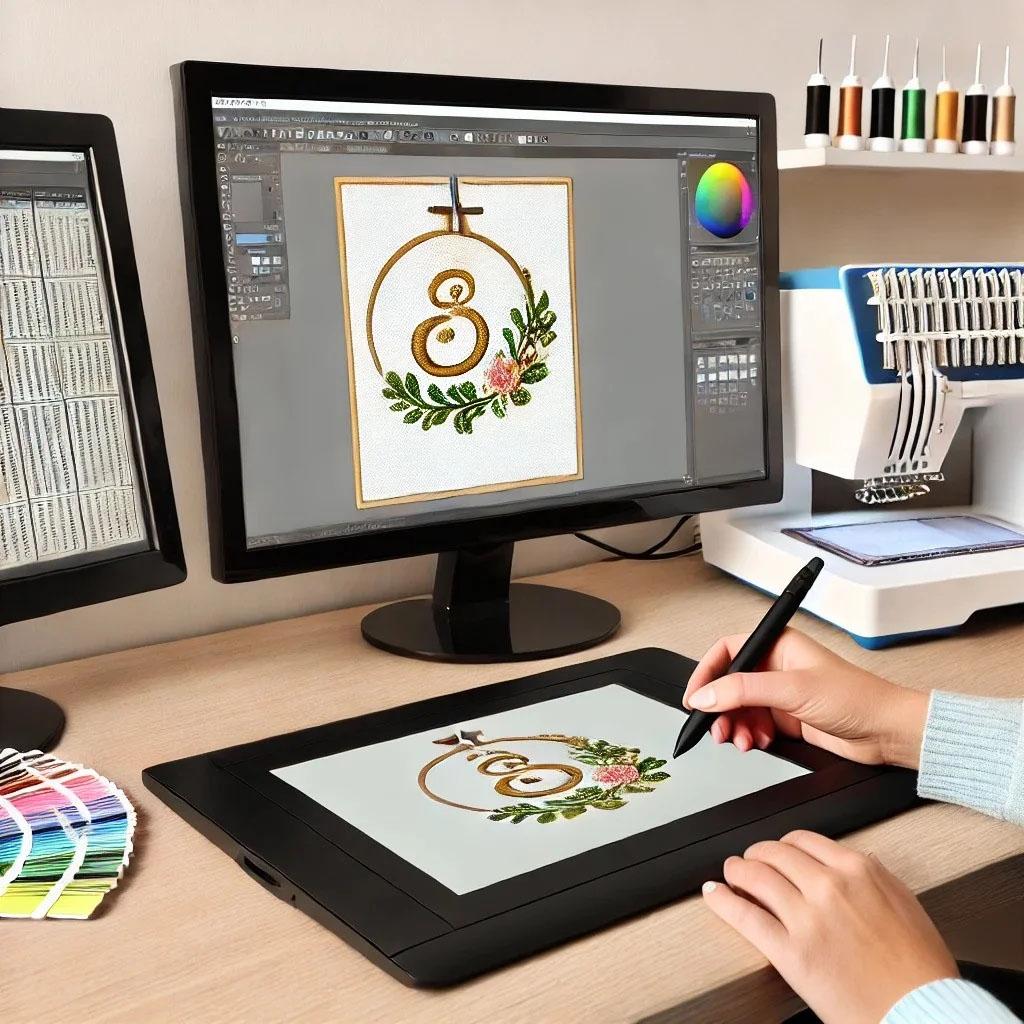
You send your vector file or high-resolution raster image. You specify the finished size, fabric type, and thread colors. The digitizer opens your file in software like Wilcom or Hatch. They import your artwork as a template layer.
They trace every shape manually or use auto-trace as a starting point. They assign stitch types to each area. Satin stitches for borders and letters. Fill stitches for large areas. Tatami stitches for backgrounds.
They add underlay stitches appropriate for your fabric. Light underlay for polos. Heavy double underlay for hoodies. Special nap underlay for towels.
They set pull compensation based on your fabric and design size. They adjust stitch angles to prevent seam lines. They add trim commands at color changes. They assign colors from their thread library to match your specifications.
They run a simulation to check for problems. Stitches that go outside boundaries. Densities that exceed fabric limits. Paths that would cause thread breaks.
Finally, they export your finished file in your requested format. PES for Brother and Baby Lock. DST for commercial machines. EXP for Melco. They send it back to you, usually within one to three business days.
You sew a test on scrap fabric. If anything looks wrong, you request revisions. Most professional services include free revisions until you are satisfied.
Conclusion: Good Artwork Makes Great Embroidery
Professional embroidery digitizing services want to give you a perfect stitch file. But they cannot read your mind, and they cannot fix fundamentally flawed artwork. The cleaner and more complete your artwork, the better your final embroidery will look.
Send vector files whenever possible. Specify exact finished sizes. Label your colors clearly. Remove tiny details that cannot sew. Tell them what fabric you plan to use.
Do those things, and you will get faster turnaround, lower costs, and fewer revisions. You will stitch your first test and smile instead of sighing. And you will understand why professional digitizers keep asking for the same information. They ask because it matters.
Now go dig up that vector version of your logo. Your digitizer is waiting.

 English
 French
 Spanish
 Portuguese
 Deutsch
 Turkish
 Dutch
Dutch
 Italiano
 Russian
 Romaian
 Portuguese (Brazil)
 Greek
Greek