


10 Signs Your Business Is Ready for CRM Workflow Automation
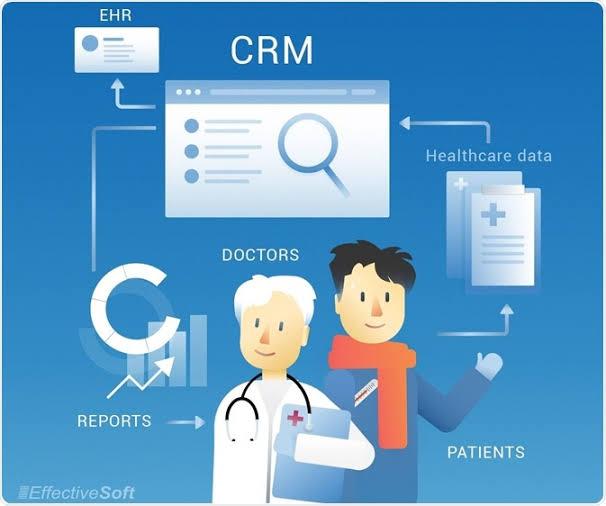
Business growth often brings new customers, larger sales pipelines, expanding teams, and more complex internal processes. While these changes are positive, they can also introduce repetitive administrative work that becomes difficult to manage manually. When employees spend too much time updating records, assigning leads, creating reminders, or searching for customer information, it may be time to consider CRM workflow automation.
Automation is not only for large enterprises with complicated technology environments. Small and mid-sized businesses can also use automated CRM processes to reduce repetitive work and create more consistent customer-management practices. The key is knowing when automation can solve a real business problem rather than adding unnecessary technology.
Here are ten signs that your business may be ready.
1. Employees Spend Too Much Time on Repetitive Tasks
One of the clearest signs is when employees repeatedly perform the same administrative activities every day.
These may include:
-
Entering customer information
-
Assigning leads
-
Updating opportunity stages
-
Creating follow-up tasks
-
Sending internal notifications
-
Updating account statuses
-
Copying information between systems
None of these activities are necessarily difficult, but they consume valuable time.
When repetitive tasks become a significant part of the workday, automation can allow employees to focus on activities that require judgment, creativity, and customer interaction.
2. Leads Are Not Always Assigned Quickly
A new lead can lose value if it sits unassigned for hours or days.
If employees currently review new inquiries manually and decide who should handle each one, the process may become slower as lead volume increases.
A workflow automation CRM can apply predefined rules to new leads and route them to the appropriate representative.
For example, leads can be assigned according to:
-
Geographic territory
-
Product interest
-
Customer segment
-
Company size
-
Lead source
-
Sales representative availability
This creates a more structured process and reduces the amount of manual coordination required.
3. Sales Representatives Forget Follow-Ups
Sales opportunities rarely close after one interaction.
A prospect may need several calls, emails, meetings, demonstrations, or proposals before making a decision.
If sales representatives rely heavily on personal calendars or memory to manage these activities, follow-ups can occasionally be missed.
A CRM with workflow automation can create tasks and reminders based on pipeline activity.
For example, when a proposal is sent, the CRM can automatically create a follow-up task for the appropriate date.
The salesperson still controls the conversation, but the system helps make sure the next step is visible.
4. Customer Data Is Frequently Outdated
CRM data becomes less useful when employees cannot trust it.
If customer records contain outdated phone numbers, incorrect statuses, duplicate contacts, or missing information, teams may struggle to make informed decisions.
Automation can help maintain certain types of data consistency.
For example, a workflow can automatically update customer status when a deal reaches a defined stage. It can also create required tasks when important information is missing.
Automation cannot solve every data-quality problem, but it can reduce some of the repetitive work involved in keeping records organized.
5. Teams Keep Entering the Same Information
Another strong sign is duplicate data entry.
Imagine a customer completes a form on the website. An employee enters that information into the CRM, then manually enters some of the same information into a marketing platform and another internal system.
This creates unnecessary work and increases the chance of errors.
CRM integration services can help connect relevant business applications so information can move between systems according to defined rules.
The objective is not to move every piece of information everywhere. It is to determine which information needs to be shared and where it should be maintained.
6. Sales and Marketing Do Not Have the Same Customer Information
Sales and marketing teams need to work with compatible customer information.
If marketing knows that a prospect downloaded several resources but sales cannot see that activity, the sales conversation may lack useful context.
Similarly, if sales updates a customer's status but marketing does not receive the relevant information, the customer may receive inappropriate communications.
CRM automation and integrations can help synchronize important information between teams.
This creates a more connected customer journey and reduces unnecessary communication gaps.
7. Managers Spend Too Much Time Checking the Pipeline
Sales managers need visibility into their team's opportunities.
However, if managers have to manually inspect dozens or hundreds of CRM records to identify problems, they may spend too much time monitoring administrative details.
Automation can help surface important situations.
For example, the CRM could notify a manager when:
-
A high-value opportunity becomes inactive
-
A lead remains unassigned
-
An opportunity misses its expected closing date
-
A follow-up task becomes overdue
-
A deal remains in one stage for too long
This allows managers to focus on exceptions instead of manually checking every record.
8. Customer Handoffs Frequently Create Confusion
As companies grow, customers often move between teams.
Marketing may generate a lead. Sales qualifies and closes it. An onboarding team takes over. Later, customer success or support manages the ongoing relationship.
Without clear processes, information can be lost during these transitions.
Automation can create standardized handoff workflows.
When a deal is marked as closed, the system can automatically create onboarding tasks, notify the appropriate team, and update relevant customer information.
This helps employees understand what happens next and reduces the chance that important responsibilities fall between departments.
9. Your Business Is Adding More Software
Technology growth can be another indication that automation is becoming necessary.
A business may start with a CRM and later add:
-
Marketing software
-
Accounting platforms
-
Customer support tools
-
Ecommerce applications
-
Communication systems
-
Analytics platforms
-
Document management tools
Each new application can provide useful capabilities, but disconnected systems can also create operational challenges.
Businesses may need CRM integration and implementation services to determine how these platforms should work together.
Integration planning becomes particularly important when customer information needs to move between several systems.
10. Your Team Is Growing Faster Than Your Processes
Sometimes the biggest sign is simply that the company has outgrown its existing way of working.
A process that was manageable when five people handled customers may become inefficient when the team grows to fifty.
Employees may start creating their own methods for managing leads, customer records, and follow-ups. Over time, different teams may follow different procedures.
Automation can help standardize repeatable activities.
Instead of relying on individual employees to remember every step, the CRM can provide a consistent framework that supports the entire team.
How AI Can Strengthen CRM Automation
Traditional automation typically follows predefined rules.
AI can provide additional capabilities by helping businesses analyze customer information and identify patterns.
Organizations exploring AI CRM integration services can use AI to support areas such as:
-
Lead prioritization
-
Customer-data analysis
-
Conversation summaries
-
Opportunity insights
-
Sales forecasting
-
Follow-up recommendations
For example, AI may help identify opportunities that appear to require additional attention, while the CRM workflow creates an appropriate task for the sales representative.
This combination can help businesses move from simple rule-based automation toward more intelligent processes.
What About Small Businesses?
Small businesses sometimes assume automation is mainly useful for large organizations.
That is not necessarily the case.
Smaller teams often have fewer employees available to handle administrative work. Automating repetitive activities can therefore have a noticeable impact on productivity.
This is also why businesses are increasingly interested in understanding how ai sales automation tools help small businesses increase revenue.
AI and automation can help sales teams spend more time on prospects, customers, and revenue-generating activities instead of repeatedly performing routine administrative work.
The technology should still be selected based on actual business requirements rather than trends.
Microsoft Dynamics and CRM Automation
Businesses operating within Microsoft environments may have additional integration and automation opportunities.
Microsoft Dynamics CRM integration services can help organizations connect Dynamics environments with other applications and workflows.
For example, a business may need customer information to move between Dynamics and systems used for finance, customer service, marketing, or operations.
The right integration strategy can reduce duplicate work and create a more connected technology environment.
However, organizations should first identify the business process they want to improve before deciding which integration to implement.
How to Know What to Automate First
Not every CRM process should be automated immediately.
A useful starting point is to identify activities that are:
-
Repetitive
-
Rule-based
-
Time-consuming
-
Prone to human error
-
Easy to measure
-
Important to customer or business outcomes
Lead assignment, follow-up reminders, notifications, data synchronization, and routine handoffs are often good candidates.
More complex activities involving negotiation, customer relationships, or strategic decisions should generally retain a strong human element.
Avoid Automating a Broken Process
Automation works best when the underlying process is already understood.
If a business does not know who owns a task, what information is required, or what should happen when something goes wrong, automating the process may simply make the confusion happen faster.
Before building a workflow, businesses should document:
-
The trigger
-
Required information
-
Responsible team
-
Actions
-
Conditions
-
Exceptions
-
Expected outcome
This creates a stronger foundation for automation.
Measure the Results
Once automation is implemented, businesses should track whether it is producing measurable improvements.
Useful metrics may include:
-
Time saved per employee
-
Lead response time
-
Follow-up completion
-
Data accuracy
-
Sales conversion
-
Customer response time
-
Number of overdue tasks
-
Pipeline velocity
The goal is not to create as many automated workflows as possible.
The goal is to improve business performance.
Building an Automation Strategy That Can Grow
CRM automation should evolve as the business evolves.
A company may start with simple lead assignment and follow-up workflows. Later, it may introduce integrations, AI-powered insights, customer lifecycle automation, and more advanced reporting.
The important thing is to maintain a clear strategy.
Businesses should regularly review existing workflows, remove outdated automations, monitor integration performance, and collect feedback from employees who use the CRM every day.
This keeps automation aligned with real business needs.
Conclusion
Knowing when to automate is just as important as knowing how to automate. If employees are spending too much time on repetitive tasks, leads are being handled slowly, customer information is inconsistent, or teams struggle with disconnected systems, CRM workflow automation may provide a practical solution.
From lead routing and follow-ups to customer handoffs, AI-supported processes, and CRM integrations, automation can help businesses build more efficient operations without removing the human side of customer relationships. A thoughtful approach supported by the right technology and implementation strategy can help organizations scale more effectively. Soft-korner can support businesses looking to develop CRM automation and integration solutions that match their workflows, systems, and long-term growth objectives.
FAQs
1. What are the first signs that a business needs CRM automation?
Common signs include excessive manual data entry, missed follow-ups, slow lead assignment, outdated customer records, disconnected applications, and employees spending too much time on repetitive administrative work.
2. Is CRM workflow automation suitable for small businesses?
Yes. Small businesses can benefit from automation because it can reduce repetitive work and allow smaller teams to focus more time on sales, customer service, and other high-value activities.
3. Can CRM automation connect multiple business systems?
Yes. CRM platforms can be integrated with various business applications, depending on the platforms involved and the organization's technical requirements.
4. Can AI and CRM automation work together?
Yes. AI can provide insights such as lead prioritization, customer analysis, summaries, and recommendations, while automated workflows can turn those insights into specific tasks or actions.
5. How can a business avoid over-automating its CRM?
Businesses should automate repetitive, rule-based processes while keeping activities that require judgment, empathy, negotiation, and relationship building under human control. Regular workflow reviews can also help prevent unnecessary automation.

 English
 Arabic
 French
 Spanish
 Portuguese
 Deutsch
 Dutch
Dutch
 Italiano
 Russian
 Romaian
 Portuguese (Brazil)
 Greek
Greek
