


How to Choose the Right Manufacturing Accounting Software
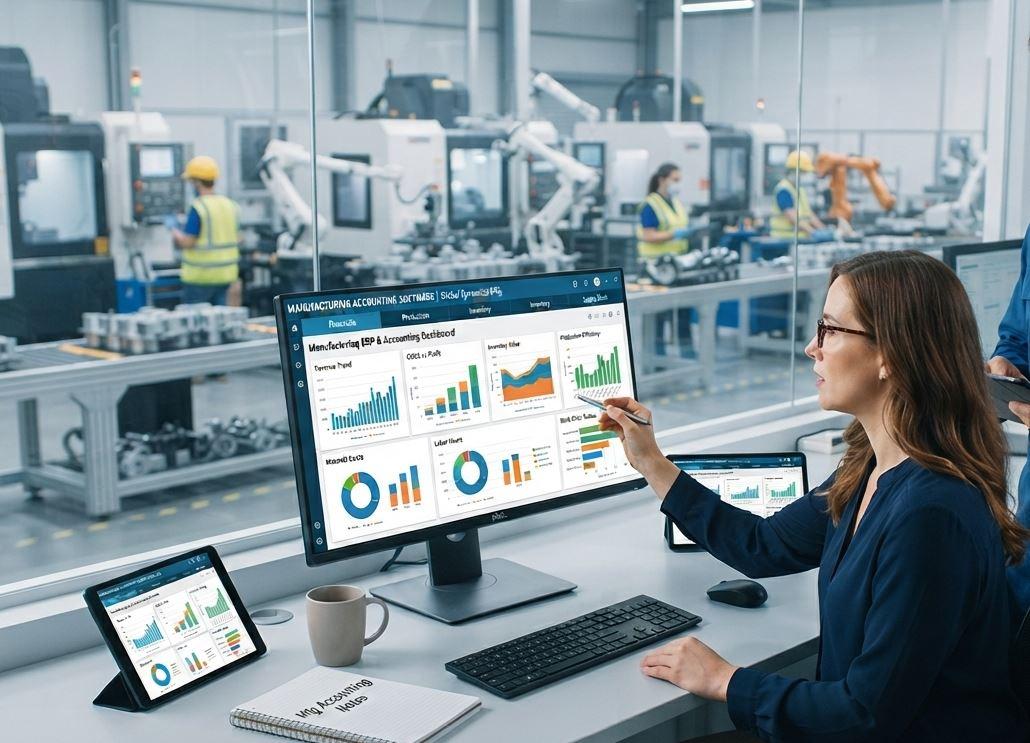
Choosing the right manufacturing accounting software can make a major difference in how efficiently a manufacturing business manages finances, inventory, production costs, purchasing, and reporting. Unlike basic accounting tools, manufacturing-focused software is designed to connect financial data with day-to-day production activities.
With so many accounting and ERP solutions available, finding the right system can feel overwhelming. The best approach is to identify your business requirements first and then compare software based on features, scalability, usability, integration, security, and overall value.
What Is Manufacturing Accounting Software?
Manufacturing accounting software is a financial management solution designed specifically for manufacturing companies. It helps businesses manage accounting operations while connecting financial information with manufacturing processes.
Key Functions of Manufacturing Accounting Software
Depending on the solution, the software may include:
-
General ledger and financial accounting
-
Accounts payable and accounts receivable
-
Inventory management
-
Production costing
-
Bill of materials (BOM)
-
Purchase and sales management
-
Payroll integration
-
Tax management
-
Financial reporting
-
Budgeting and forecasting
-
Multi-warehouse management
By bringing these functions together, manufacturers can reduce manual data entry and gain a clearer view of their financial performance.
Why Choosing the Right Software Matters
Manufacturing businesses deal with complex costs, changing inventory levels, raw materials, labor expenses, and production requirements. A basic accounting system may not provide enough information to manage these processes effectively.
The right manufacturing accounting software can help create a connected financial and operational workflow.
Improve Financial Accuracy
Manual calculations and repeated data entry can increase the risk of accounting errors. Automated transactions and integrated financial records can help improve accuracy.
Control Manufacturing Costs
Manufacturers need to understand how much each product costs to produce. Software with detailed cost accounting features can help track raw materials, labor, overhead, and other production expenses.
Save Time
Automating repetitive accounting tasks allows finance teams to spend less time entering data and more time analyzing business performance.
Identify Your Business Requirements
Before comparing software providers, create a clear list of your company's requirements. Avoid choosing a system simply because it has a long list of features.
Consider Your Manufacturing Process
Think about how your business operates. Do you manufacture products to order, maintain stock for regular sales, or use a combination of both?
Your software should support your actual production workflow rather than forcing your company to completely change its processes.
Define Your Accounting Needs
List the accounting software in Pakistan functions your business currently uses and the features you may need in the future.
Important areas may include:
-
General ledger
-
Accounts receivable
-
Accounts payable
-
Cash flow management
-
Cost accounting
-
Tax reporting
-
Financial statements
-
Budget management
-
Asset management
A clear requirements list makes software comparisons much easier.
Look for Strong Inventory Management
Inventory is one of the most important areas for a manufacturing company. Poor inventory control can result in excess stock, shortages, inaccurate costing, and cash-flow problems.
Track Raw Materials and Finished Goods
Choose software that can track raw materials, work-in-progress inventory, and finished products. Real-time inventory visibility can help purchasing and production teams make better decisions.
Support Multiple Warehouses
If your company operates multiple warehouses or production locations, check whether the software can manage inventory across different locations.
Features such as warehouse transfers, stock adjustments, reorder levels, and inventory valuation can be particularly useful.
Evaluate Cost Accounting Features
One of the biggest differences between ordinary accounting software and accounting software for manufacturing is the ability to understand production costs.
Track Direct and Indirect Costs
The system should ideally help you monitor:
-
Raw material costs
-
Direct labor
-
Manufacturing overhead
-
Machine costs
-
Packaging expenses
-
Shipping-related costs
Having this information in one system makes it easier to determine the actual cost of manufacturing products.
Monitor Product Profitability
Good manufacturing accounting software should help businesses compare production costs with selling prices. This can provide useful information for pricing and profitability analysis.
Check Bill of Materials and Production Features
A Bill of Materials (BOM) defines the materials and components required to manufacture a product. If your business uses BOMs, the accounting system should either support them directly or integrate with manufacturing management tools.
Connect Production With Accounting
When production and accounting systems are connected, changes in inventory and production costs can flow into financial records more efficiently.
This reduces the need to maintain separate spreadsheets for manufacturing and accounting information.
Consider Integration Capabilities
Your accounting software should work well with the other systems your company already uses.
Integrate With ERP and Business Applications
Look for integration options with:
-
ERP systems
-
Inventory management platforms
-
CRM software
-
Payroll systems
-
Banking platforms
-
E-commerce platforms
-
Point-of-sale systems
-
Tax and invoicing systems
Strong integration can reduce duplicate data entry and create a more connected business environment.
Choose Software That Can Scale
Your accounting requirements today may not be the same as they will be in three or five years. Choosing a system that can grow with your company can prevent another software migration later.
Support Business Growth
Consider whether the software can handle:
-
More users
-
Larger transaction volumes
-
Additional warehouses
-
New product lines
-
Multiple branches
-
Multiple currencies
-
Additional manufacturing locations
Scalability is especially important for growing manufacturers.
Evaluate Ease of Use
A powerful system is not very useful if employees find it difficult to operate.
Look for a User-Friendly Interface
Employees should be able to perform common tasks without unnecessary complexity. Clear dashboards, simple navigation, customizable reports, and logical workflows can improve user adoption.
Consider Employee Training
Ask the software provider about training resources, onboarding, documentation, and customer support. Proper training can significantly reduce implementation problems.
Review Reporting and Analytics
Manufacturing companies need more than basic profit-and-loss statements. They often require detailed information about production costs, inventory, sales, and profitability.
Useful Manufacturing Reports
Look for reporting capabilities such as:
-
Production cost reports
-
Inventory valuation reports
-
Profit and loss statements
-
Cash flow reports
-
Sales analysis
-
Purchase reports
-
Expense reports
-
Product profitability reports
-
Budget variance reports
Real-time dashboards can also help management identify financial and operational trends.
Check Security and Data Protection
Financial information is highly sensitive, so security should be an important part of your software evaluation.
Important Security Features
Consider systems that offer:
-
User access controls
-
Role-based permissions
-
Data encryption
-
Secure backups
-
Audit trails
-
Login security
-
Regular software updates
Ask providers how financial data is stored, protected, and backed up before making a final decision.
Compare Pricing and Total Cost
Software pricing should not be evaluated only by looking at the monthly or annual subscription.
Consider the Total Cost of Ownership
Your overall cost may include:
-
Software subscription
-
Implementation
-
Customization
-
Training
-
Data migration
-
Technical support
-
Integration
-
Additional users
-
Hardware, where applicable
Compare these costs against the expected business benefits before selecting a solution.
Test the Software Before Buying
A product demonstration can provide useful information, but a hands-on trial can be even more valuable.
Create Realistic Test Scenarios
During a demo or trial, try common business activities such as:
-
Creating a purchase order
-
Receiving raw materials
-
Updating inventory
-
Recording production costs
-
Creating an invoice
-
Checking accounts receivable
-
Generating financial reports
This allows your team to determine whether the software actually fits your workflow.
Ask About Customer Support
Reliable support can become extremely important when financial or production operations depend on the software.
Before purchasing, ask about support channels, response times, training, implementation assistance, and software updates.
Check the Vendor's Experience
Consider how long the provider has served manufacturing businesses and whether its team understands manufacturing accounting requirements.
Final Thoughts
Choosing the right manufacturing accounting software requires more than comparing feature lists. You need to consider your accounting requirements, production processes, inventory needs, cost accounting, integrations, scalability, security, reporting, usability, and total cost.
Start by documenting your business requirements and then shortlist solutions that match those needs. Test the shortlisted systems with realistic manufacturing scenarios and involve accounting, production, purchasing, and management teams in the evaluation process.
The right solution should make financial management easier while giving your business better visibility into production costs, inventory, profitability, and overall performance.

 English
 Arabic
 French
 Spanish
 Portuguese
 Deutsch
 Turkish
 Dutch
Dutch
 Italiano
 Russian
 Portuguese (Brazil)
 Greek
Greek
