


Why Your Smartphone May Have Trouble Detecting Headphones
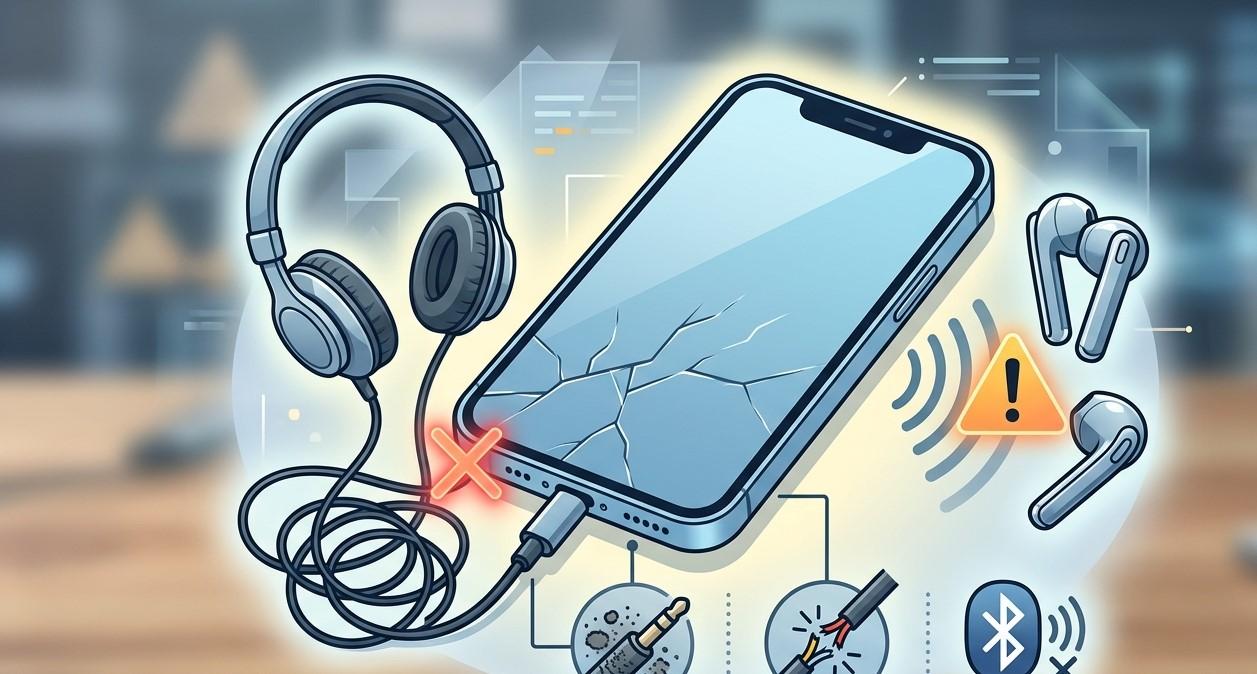
Headphones are an essential smartphone accessory for listening to music, watching videos, making calls, attending online meetings, and enjoying other forms of entertainment privately. However, it can be frustrating when a smartphone fails to recognize connected headphones or continues playing audio through its built-in speakers.
Headphone detection problems can occur with both wired and wireless headphones. The cause may be as simple as dirt in the charging or headphone connection, a damaged cable, Bluetooth settings, software problems, compatibility issues, or internal hardware damage. Identifying the cause is important because not every headphone detection problem requires a phone repair.
If basic troubleshooting does not resolve the issue, professional diagnosis can help determine whether the problem is related to the accessory, software, or smartphone hardware. NanoTech can assist customers searching for phone repair regina sk, samsung phone repair regina sk, or cell phone repair regina sk with professional smartphone troubleshooting and repair support.
Table of Contents
- Common Signs of Headphone Detection Problems
- Check the Headphones First
- Inspect the Smartphone Connection
- Clean the Port Carefully
- Check Bluetooth Settings
- Restart Your Smartphone
- Check Volume and Audio Output Settings
- Update Smartphone Software
- Check Headphone Compatibility
- Physical Damage and Connection Problems
- Liquid and Moisture Damage
- When a Headphone Jack or Charging Port Is Faulty
- How Professional Diagnostics Can Help
- Tips to Prevent Headphone Detection Problems
- Frequently Asked Questions
- Call to Action
Common Signs of Headphone Detection Problems
A smartphone can experience headphone-related problems in several ways.
Common symptoms include:
- Wired headphones are not recognized.
- Wireless headphones fail to appear in Bluetooth settings.
- Headphones connect but produce no sound.
- Audio continues playing through the phone speaker.
- Headphones connect and disconnect repeatedly.
- Only one side of the headphones works.
- The phone shows inconsistent headphone connection notifications.
- Bluetooth headphones connect to another device but not the smartphone.
These symptoms can point to different causes, so testing both the headphones and smartphone is an important first step.
Check the Headphones First
Before troubleshooting the smartphone, determine whether the headphones themselves are working properly.
Try connecting the headphones to another compatible device. If they work normally on another phone, tablet, or computer, the smartphone may be responsible for the problem.
If they fail to work on multiple devices, the headphones or their cable may be damaged.
For wired headphones, inspect the cable and connector for bends, cracks, or visible damage. For wireless headphones, check their battery level and charging status.
Testing the accessory separately can prevent unnecessary smartphone repairs.
Inspect the Smartphone Connection
Wired headphones connect through a headphone jack on some devices or through a USB-C or other compatible port on others.
Inspect the connection area for visible damage. A loose connection, bent component, or damaged port can prevent the smartphone from recognizing the headphones.
Do not force the headphone connector into the port. Excessive pressure can damage delicate contacts and make the problem worse.
If the connector feels unusually loose or does not remain securely connected, professional inspection may be appropriate.
Clean the Port Carefully
Dust, lint, and debris can accumulate inside smartphone ports.
When debris prevents the connector from making proper contact, the phone may fail to detect the headphones or may repeatedly connect and disconnect them.
Inspect the port under good lighting. Avoid using sharp metal objects to remove debris because they can damage internal contacts or cause an electrical short.
If the port is heavily blocked or you cannot safely clean it, professional cleaning can be a safer option.
Check Bluetooth Settings
Wireless headphone problems often involve Bluetooth rather than physical connections.
Make sure Bluetooth is enabled and that the headphones are properly paired with the smartphone.
If the headphones appear in the Bluetooth device list but fail to connect, try removing or forgetting the device and then pairing it again.
It can also help to check whether the headphones are already connected to another nearby device. Some wireless headphones automatically reconnect to a previously paired phone, tablet, or computer.
Turning Bluetooth off and back on can also resolve temporary connection problems.
Restart Your Smartphone
Temporary software glitches can affect Bluetooth and wired audio detection.
Restarting the smartphone allows the operating system to reload its audio and connectivity services.
After restarting, connect the headphones again and check whether the phone recognizes them.
If the problem occurs repeatedly after every restart, additional troubleshooting may be necessary.
Check Volume and Audio Output Settings
Sometimes headphones are successfully connected but the audio is being directed somewhere else.
Check the smartphone's volume and audio output controls to confirm that the headphones are selected as the active audio device.
Wireless headphones may appear as connected for calls but not be selected for media playback, depending on their settings and the smartphone's operating system.
If other Bluetooth audio devices work correctly while one particular pair does not, the problem may be related to the headphones or their compatibility.
Update Smartphone Software
Operating-system updates can address bugs involving Bluetooth, audio routing, device compatibility, and hardware communication.
Check whether your smartphone has an available system update and install official updates when appropriate.
It is also useful to keep headphone companion applications and firmware updated when the manufacturer provides them.
If the headphone problem started after a software update, monitor whether later updates or restarting the device resolve the issue.
Check Headphone Compatibility
Not every headphone or adapter works identically with every smartphone.
Some wired headphones and adapters require specific standards or compatible digital-to-analog conversion hardware. Wireless headphones may also have compatibility limitations depending on their Bluetooth features and software.
If a particular headphone model has never worked with your phone, compatibility should be considered before assuming the smartphone is defective.
Using a compatible, reliable accessory can help determine whether the problem is caused by the headphone itself.
Physical Damage and Connection Problems
A smartphone that has been dropped may develop damage around its headphone jack, charging port, internal connectors, or motherboard.
The phone may appear normal externally while a connector inside has become loose or damaged.
Signs of possible hardware problems include:
- Multiple wired headphones fail to work.
- The connector feels loose.
- Audio cuts out when the cable moves slightly.
- The port has visible physical damage.
- Bluetooth and other connectivity features are also malfunctioning.
- The problem started immediately after an impact.
For customers looking for samsung phone repair regina sk, professional inspection can help determine whether a Samsung device has a damaged port or another internal hardware issue.
Liquid and Moisture Damage
Liquid exposure can affect smartphone ports and internal components.
Moisture around a charging or headphone connection may interfere with electrical contacts and cause intermittent detection problems. Corrosion can also develop over time.
If headphone problems began after exposure to water or another liquid, avoid repeatedly connecting accessories to the affected port.
Professional inspection can help determine whether moisture has affected the port, connectors, or internal circuitry.
When a Headphone Jack or Charging Port Is Faulty
If multiple compatible wired headphones fail to work while those headphones function normally with other devices, the smartphone's connection hardware may require attention.
Depending on the device, the problem could involve:
- A damaged headphone jack.
- A worn USB-C port.
- Dirty or damaged contacts.
- Internal connector problems.
- Charging or audio circuitry.
- Motherboard-related faults.
Replacing a component without diagnosing the actual problem may not resolve the issue. Proper testing should come first.
How Professional Diagnostics Can Help
Headphone detection problems can involve several different systems. A professional technician can test the device, inspect the connection port, evaluate Bluetooth functionality, and consider possible software issues.
For customers searching for cell phone repair regina sk, professional diagnostics can help determine whether the problem originates from the headphones, smartphone settings, software, or hardware.
At NanoTech, technicians can evaluate the symptoms and recommend an appropriate solution based on the condition of the device. This approach can help prevent unnecessary repairs and identify hardware problems that may not be obvious from external inspection.
Tips to Prevent Headphone Detection Problems
A few simple habits can help maintain reliable headphone connectivity.
Keep Ports Clean
Avoid allowing dust and lint to accumulate inside charging or headphone ports.
Handle Connectors Carefully
Insert and remove wired headphones gently without twisting or pulling the cable at an angle.
Protect the Smartphone From Moisture
Keep the phone away from spills, rain, and excessive humidity.
Keep Software Updated
Regular system updates can help maintain compatibility with newer accessories and connectivity features.
Avoid Unreliable Adapters
Use compatible, quality adapters rather than poorly manufactured accessories that may not communicate correctly with the smartphone.
Frequently Asked Questions
Why won't my phone detect my wired headphones?
Possible causes include a damaged headphone cable, dirty or damaged port, incompatible adapter, software issue, or hardware failure.
Why do my Bluetooth headphones connect but have no sound?
The headphones may be connected but not selected as the active audio output. Check the phone's Bluetooth and media output settings.
Can dust prevent headphones from being detected?
Yes. Dust and lint can prevent the connector from making proper contact with the internal contacts of a port.
Why do my headphones keep disconnecting?
Possible causes include a damaged cable, loose port, weak Bluetooth connection, low headphone battery, interference, software issues, or hardware problems.
Can a software update fix headphone problems?
It can if the issue is caused by a software bug or compatibility problem. Keeping both the smartphone and compatible headphone software updated can help.
Can water damage affect headphone detection?
Yes. Moisture can interfere with ports, connectors, and internal electrical components and may eventually cause corrosion.
When should I contact a repair technician?
If multiple known-working headphones fail to connect, the port appears damaged, or troubleshooting does not solve the problem, professional diagnosis can help identify the underlying cause.
Get Professional Smartphone Repair Assistance
Headphone detection problems can be caused by something as simple as an incorrect Bluetooth setting or accumulated debris, but persistent problems may indicate a damaged port, software issue, compatibility problem, or internal hardware fault.
Before seeking repair, test the headphones with another device, inspect the smartphone connection, check Bluetooth and audio settings, restart the phone, and install available software updates. If the problem continues, professional diagnosis can help identify the actual cause.
If you are searching for phone repair regina sk, samsung phone repair regina sk, or cell phone repair regina sk, NanoTech can help assess your smartphone and determine the appropriate repair solution. Professional troubleshooting can restore reliable headphone connectivity while helping prevent unnecessary component replacements.

 English
 Arabic
 French
 Spanish
 Portuguese
 Deutsch
 Turkish
 Dutch
Dutch
 Italiano
 Russian
 Romaian
 Portuguese (Brazil)
