


Best Software for School Records: A Complete Guide for Schools
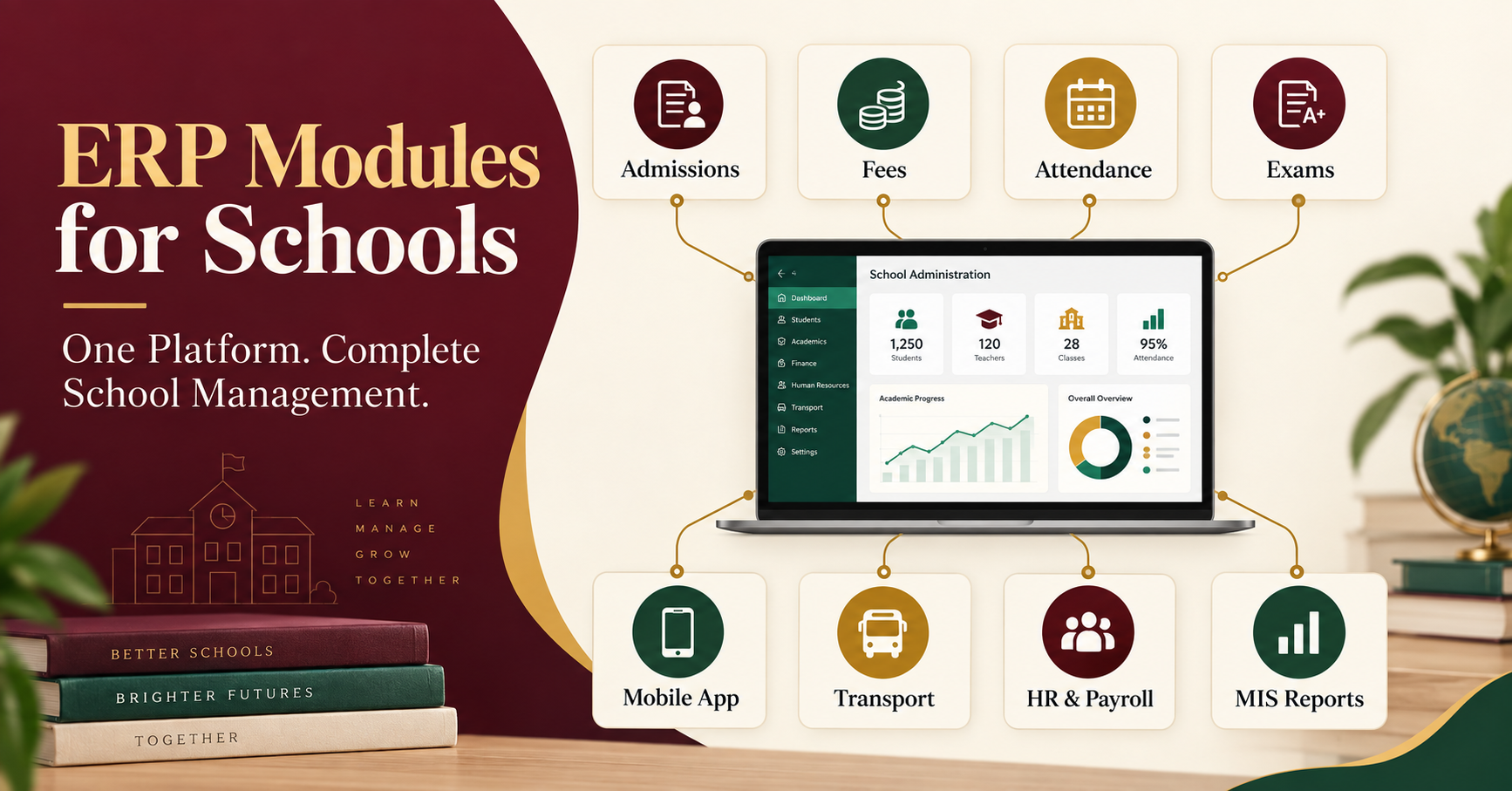
Schools create and update hundreds of records every day. Admission forms, student profiles, attendance registers, fee receipts, examination results, certificates, employee details and parent communications must all remain accurate and accessible. When this information is spread across registers, spreadsheets and separate applications, finding a complete record can become slow and unreliable.
The best software for school records brings this information into one secure, centralized platform. It allows authorized teachers, accountants, administrators and school leaders to access the right information without repeatedly entering the same data. It also helps schools reduce paperwork, prevent duplicate records and generate useful reports more quickly.
However, not every database or school application provides the same value. A school should select software according to its workflows, student strength, security requirements, reporting needs and future growth. This guide explains what school record software does, the features that matter and how institutions can compare available solutions.
What Is School Records Management Software?
School records management software is a digital system used to create, store, update and retrieve academic and administrative information. It acts as a structured school database and may manage the complete record of a student from initial enquiry to admission, promotion, transfer or graduation.
A modern system may maintain:
-
Student and guardian profiles
-
Admission applications and uploaded documents
-
Class, section and roll-number details
-
Daily or period-wise attendance
-
Fee structures, payments, dues and receipts
-
Examination marks, grades and report cards
-
Homework, timetable and academic progress
-
Transport and library records
-
Certificates and official documents
-
Employee, attendance and payroll information
-
Communication history and parent notifications
Unlike a basic spreadsheet, a student record management system connects related processes. When an admission is approved, the verified information can automatically become part of the active student profile. The same profile can then be used for fees, attendance, examinations, communication and management reports.
Why Schools Need Digital Record Management
Paper registers still serve a purpose in some institutions, but they are difficult to search, share, update and protect at scale. Separate spreadsheets may be easier to start with, yet they often create multiple versions of the same record.
Digital school records help institutions address these common problems:
Duplicate Data Entry
Without an integrated platform, admission details may be entered again by the accounts department, class teacher and examination team. Repeated entry takes time and increases the possibility of spelling errors or inconsistent information.
Slow Record Retrieval
Parents, auditors or management may require information at short notice. A centralized school database enables authorized employees to search for relevant records without checking several files or departments.
Inconsistent Reports
When departments maintain separate data, their totals may not match. Connected software uses approved information to generate reports, making it easier to compare admissions, fee collection, attendance and academic performance.
Limited Data Security
Physical files can be lost or damaged, while uncontrolled spreadsheets may be shared with the wrong people. A suitable platform provides passwords, user roles, access permissions, activity records and backups.
Communication Gaps
Important updates related to attendance, fees, homework, examinations or transport should reach the correct parents. A connected mobile application and communication module can publish information directly from approved school records.
Essential Features of the Best Software for School Records
The right solution should support everyday school operations, not simply provide a long feature list. Schools should evaluate the following capabilities through practical demonstrations.
1. Centralized Student Information System
The software should create one reliable profile for every student. This profile may contain personal information, guardian details, contact numbers, documents, medical notes, academic history, fee category, transport allocation and sibling relationships.
Authorized departments should work from the same approved identity. Any change to sensitive information should follow the school's permission and approval process.
2. Admission and Enquiry Records
A good system tracks enquiries, follow-ups, applications, uploaded documents, entrance assessments and admission decisions. Once an applicant is accepted, the software should convert the admission record into an active student profile without unnecessary re-entry.
This workflow allows management to review the number of enquiries, pending follow-ups and confirmed admissions.
3. Attendance Record Management
Teachers should be able to record attendance quickly from a computer or mobile device. The system may support daily, period-wise or subject-wise attendance, depending on the school's requirements.
The recorded data should update student profiles, class reports and parent alerts. Management should also be able to identify frequent absences and compare attendance across classes or branches.
4. Fee Records and Online Payments
School record software should maintain class-wise fee structures, optional charges, concessions, instalments, fines, payments, refunds and outstanding dues. It should generate receipts and provide collection reports for authorized users.
If online payments are included, the school should verify payment-gateway charges, reconciliation processes and settlement reports. Fee records should remain easy to audit and export.
5. Examination and Report-Card Records
The platform should support the school's assessment pattern, subject structure, marks entry, grading rules, result approval and report-card format. Academic history should remain connected to the correct student profile across sessions.
During a demonstration, schools should test corrections, absent-student cases, subject changes and approval before result publication.
6. Document and Certificate Management
Schools often store birth certificates, photographs, previous-school documents, transfer certificates and other official records. Digital document management can link these files with the relevant student profile.
The system may also generate ID cards, bonafide certificates, transfer certificates and other documents from verified information. Templates and approval rules should be customizable according to institutional requirements.
7. Parent and Teacher Mobile Apps
Parents should be able to view relevant records such as attendance, homework, fee receipts, outstanding dues, announcements, examination schedules and results. Teachers may need access to attendance, homework, marks entry and classroom communication.
Mobile applications should be tested on Android and iOS devices. Schools should check notification delivery, multiple-child access, ease of use and performance during busy periods.
8. Role-Based Access and Data Security
Not every user should be able to view or edit every school record. Teachers, accountants, transport employees, administrators and management teams require different access levels.
The selected system should provide configurable roles, strong authentication, activity logs, regular backups and secure hosting. Schools should also ask how data is recovered after an accidental change or technical failure.
9. Search, Filters and Export Options
A record system is useful only when authorized users can find information easily. Search should work through common fields such as student name, admission number, class, mobile number or fee status.
Reports should provide relevant filters and exports. Schools should confirm whether information can be exported in commonly used formats when required for audits, compliance or migration.
10. MIS Reports and Management Dashboards
School leaders need more than stored data. They need meaningful information for decision-making. MIS dashboards may summarize admissions, fee collection, attendance, academic performance, transport and branch-level operations.
Decision-makers should be able to open the underlying records behind a summary. A colourful dashboard without detailed, verifiable information offers limited operational value.
How a School Record System Connects Departments
The strongest benefit of an integrated platform is the movement of approved information through connected workflows.
| School stage | Record created or updated | Connected outcome |
|---|---|---|
| Enquiry | Applicant and follow-up details | Admission pipeline becomes available |
| Admission | Verified application and documents | Active student profile is created |
| Class allocation | Class, section and roll number | Student appears in academic records |
| Fee assignment | Applicable structure and concessions | Student ledger is prepared |
| Attendance | Daily presence or absence | Reports and parent alerts are updated |
| Examination | Marks, grades and approvals | Result and report card are generated |
| Communication | Notices and academic updates | Parents receive relevant information |
| Promotion | New class and academic session | Historical records remain linked |
| Reporting | Departmental data is consolidated | Management receives actionable MIS |
This connected approach reduces repeated work and helps each authorised department use consistent information.
Want to see your school workflows in one system? Book a personalized School ERP demo.
Cloud-Based vs Locally Installed School Record Software
A cloud-based school record system is hosted online and can generally be accessed through authorized devices with an internet connection. Updates, backups and maintenance may be managed centrally by the provider. This approach can be convenient for institutions with multiple campuses or employees working from different locations.
Locally installed software operates on the school's own infrastructure. It may provide greater direct control in some cases, but the institution may also need to manage servers, backups, security, upgrades and remote access.
The decision should consider internet reliability, internal technical resources, security policies, cost and scalability. Schools should ask where their data will be stored, how backups are maintained and what happens if the service becomes unavailable.
How to Choose the Best Software for School Records
Schools should compare solutions against real operational requirements instead of relying only on brochures.
Map Existing Processes
Document how admissions, fees, attendance, examinations, certificates and communication currently work. Identify repeated tasks, delays and common errors.
Define Mandatory and Optional Features
Separate essential requirements from features that may be added later. A smaller school may initially prioritize admissions, student information, fees, attendance, exams and communication. A large or multi-branch school may also require transport, HR, payroll, inventory and centralized analytics.
Request a Workflow-Based Demonstration
Ask the provider to complete actual tasks. Convert an enquiry into an admission, assign fees, record attendance, enter marks, generate a report card and send a parent update. Include teachers and department users in the evaluation.
Review Security and Permissions
Ask who can view, edit, approve, download or delete each type of record. Verify backup frequency, recovery procedures, hosting details and activity tracking.
Confirm Migration Scope
If the school already uses another system, clarify which records can be migrated. Historical fees, attendance, marks and documents may require different formats and validation processes. A sample migration can reveal issues before the final transfer.
Compare the Complete Cost
The quotation should identify implementation, configuration, training, mobile apps, data migration, hosting, storage, integrations, SMS usage, payment-gateway charges, support and renewals. Avoid comparing only the initial license price.
Evaluate Support and Training
The success of software depends on user adoption. Confirm how employees will be trained, how support requests are raised, typical response times and whether assistance is available during critical periods.
Questions to Ask During a Software Demonstration
Use these questions to evaluate a provider:
-
Can admission data become a student record without duplicate entry?
-
Can the software support our class, section and academic structure?
-
How are user roles and approvals configured?
-
Can teachers record attendance quickly from mobile devices?
-
Does it support our fee rules and receipt formats?
-
Can it generate our existing report-card design?
-
Can parents access records for multiple children?
-
Which historical records can be migrated?
-
How are backups, recovery and activity logs managed?
-
Can reports be filtered and exported?
-
Does the software support multiple branches?
-
What training, support and renewal costs are included?
School Record Software for Multi-Branch Institutions
Multi-branch schools require both centralized control and campus-level flexibility. The system should allow management to monitor admissions, collections, attendance and performance across branches while maintaining suitable permissions for local users.
Schools should check whether fee structures, report formats, user roles and academic settings can be configured separately where required. Consolidated reporting should not remove the ability to examine branch-level records.
Data Migration and Implementation
Implementation should follow a controlled plan covering data preparation, configuration, permissions, testing, training, pilot usage and go-live support.
Before migration, schools should clean duplicate or incomplete records. The provider and school should agree on source formats, mandatory fields, validation responsibilities and the treatment of historical data. After a test migration, department owners should verify student identities, opening fee balances, class allocations and academic records.
A phased launch may reduce operational risk. Institutions can begin with core records and then activate additional modules after users are comfortable with the main workflows.
Why Consider Nascorp School ERP?
Nascorp Technologies provides an integrated School ERP and mobile-app platform for managing academic, administrative and communication workflows. Schools can evaluate modules for admissions, student information, fees, attendance, examinations, report cards, communication, transport, HR, payroll, library and management reporting.
The suitable configuration depends on the school's student strength, branches, processes and required integrations. A requirement-based demonstration allows decision-makers to evaluate workflows instead of relying only on a standard feature list.
Replace scattered files with connected school records. Request a free demonstration and quotation or call +91 9212871807.
Frequently Asked Questions
What is the best software for school records?
The best software is a secure, easy-to-use system that centralizes student profiles, admissions, attendance, fees, examinations, documents and reports. The right choice depends on the school's workflows, size, branches, security requirements and budget.
What is a student record management system?
A student record management system stores and organizes personal, academic, attendance, fee and document information for each student. It enables authorized employees to retrieve and update records through structured workflows.
Can school records be managed through a mobile app?
Yes. Many modern platforms provide parent, teacher and management applications. Mobile access should follow role-based permissions and be tested for usability, notifications and security.
Is cloud-based school record software secure?
Cloud software can be secure when it uses strong authentication, encrypted connections, access controls, backups, monitoring and responsible hosting practices. Schools should review the provider's security and recovery arrangements before selection.
Can data from an old School ERP be migrated?
Migration is usually possible for agreed records and compatible formats. The provider should first assess the existing data, define the scope and perform validation or a test migration before final transfer.
What records should a school digitize first?
Most schools begin with admission and student profiles, fees, attendance, examinations and parent communication. The implementation order should address the institution's most urgent operational problems.
Does school record software generate report cards?
An examination module can generate report cards when it supports the school's subjects, assessments, grading rules, approvals and required layout. Schools should test their actual format during the demonstration.
Can the system manage records for multiple school branches?
Yes, if the platform supports multi-branch configuration, campus-level permissions and consolidated reporting. These functions should be verified during the product demonstration.
How much does school records management software cost?
Pricing may depend on student strength, branches, modules, mobile apps, hosting, migration, integrations, training and support. Schools should request a detailed quotation identifying included and optional items.
How does school record software help parents?
Parents can receive authorized access to attendance, homework, fee receipts, dues, announcements, exam schedules and results. Available features depend on the selected platform and school permissions.
Can users export school data?
Suitable software should offer controlled export and reporting options for authorized users. Schools should verify available formats, permissions and data-exit provisions before signing an agreement.
How long does implementation take?
The timeline depends on school size, selected modules, data quality, customization, integrations, training and approval speed. A provider should prepare a requirement-based implementation plan rather than promise one timeline for every institution.
Conclusion
The best software for school records is not simply a digital filing cabinet. It should connect verified student information with admissions, fees, attendance, examinations, documents, communication and management reporting. This integration reduces repetitive work and gives authorized employees a dependable source of information.
Before selecting a system, schools should map their processes, prioritize essential features and test the software through real workflows. They should also examine security, permissions, data migration, training, support and total ownership cost.
Nascorp Technologies can provide a requirement-based demonstration for schools planning to digitize records or replace disconnected software. Decision-makers can evaluate the relevant modules, mobile applications, reporting and migration requirements before choosing a configuration.
Ready to manage school records from one connected platform? Book your personalized School ERP demo.

 Arabic
 French
 Spanish
 Portuguese
 Deutsch
 Turkish
 Dutch
Dutch
 Italiano
 Russian
 Romaian
 Portuguese (Brazil)
 Greek
Greek
