
Ledger Live Login: A Complete Guide to Accessing Your Account and Managing Digital Assets
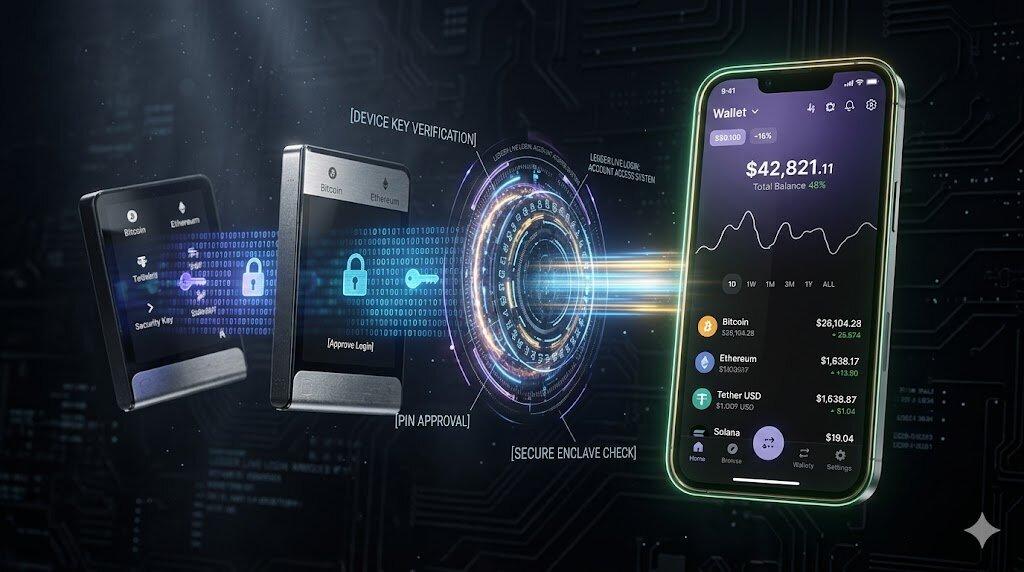
Managing digital assets requires a convenient interface, reliable account access, and clear transaction information. Ledger Live Login is a commonly searched term among users who want to access the Ledger Live application and manage their compatible Ledger hardware wallet. The application provides a central dashboard for viewing portfolio information, checking balances, and managing supported assets.
What Is Ledger Live?
Ledger Live is an application designed to work with compatible Ledger hardware wallets. It allows users to view their portfolio, check account activity, receive supported assets, and manage transactions through a desktop or mobile interface.
The application brings several account-management features together in one place. Its dashboard helps users review available information without navigating multiple platforms. Depending on the device, application version, and supported network, available features may vary.
Understanding Ledger Live Login
Ledger Live Login generally refers to opening the application and accessing its account-management features. Unlike traditional online banking services, a Ledger hardware wallet uses a physical device and PIN-based authentication to authorize important operations.
Users should download Ledger Live only through the official Ledger website or verified application distribution channels. After installing the application, they can follow the setup instructions to connect a compatible device.
For security, never enter a recovery phrase into an unofficial website, application, or message. A recovery phrase should remain private and offline.
How to Access Ledger Live
Getting started with Ledger Live involves a few straightforward steps:
-
Visit the official Ledger website and locate the Ledger Live download section.
-
Select the appropriate desktop or mobile application for your operating system.
-
Install the application and open it.
-
Follow the on-screen instructions to set up or connect a compatible Ledger device.
-
Enter your device PIN directly on the hardware wallet when requested.
-
Complete the required account setup and synchronization process.
Always verify that the application is genuine before connecting your device or approving an operation.
Important Features of Ledger Live
Ledger Live includes several features designed to simplify digital asset management.
Portfolio Overview: Users can review their supported asset balances and observe changes in their portfolio through a centralized dashboard.
Account Management: The application provides access to supported accounts, making it easier to organize and review account information.
Transaction History: Users can examine available transaction details and monitor previous activity.
Asset Management: Depending on network and device compatibility, users can manage supported assets through the application.
Device Management: Ledger Live can provide firmware updates and device-related information for compatible hardware wallets.
These features help create a more organized experience for users who want to monitor their accounts.
Security Tips for Ledger Live Login
Security should remain a priority whenever accessing a digital asset management application. Users should follow several important precautions.
First, download the application from Ledger's official website. Avoid sponsored advertisements, unknown download links, and unofficial installation packages.
Second, never share your 24-word recovery phrase. Ledger support representatives will never need this phrase to troubleshoot an account-access problem.
Third, verify transaction information carefully before approving it on your hardware wallet. Check the recipient address, network, and transaction details directly on the device screen.
Additionally, keep your application and device firmware updated using official instructions. Use a secure computer or smartphone and avoid connecting your hardware wallet to unfamiliar devices.
Troubleshooting Common Login Problems
Sometimes users experience difficulties while opening Ledger Live or connecting their hardware wallet. These problems may result from outdated software, connection issues, or incomplete device setup.
If the application does not recognize your device, check the USB cable, connection port, and device status. Restarting the application may also help.
If account information does not appear correctly, check the internet connection and allow the application to synchronize. Make sure the installed version is current.
For persistent problems, consult the official Ledger Help Center. Never follow instructions from strangers asking for your recovery phrase or remote access to your device.
Conclusion
Ledger Live Login provides a starting point for accessing the Ledger Live application and managing supported digital assets with a compatible hardware wallet. Its portfolio dashboard, account management tools, transaction history, and device features offer a convenient experience.
By downloading the genuine application, following the correct setup process, and protecting recovery information, users can make better use of Ledger Live while maintaining important security practices. Always rely on official Ledger resources for installation guidance, troubleshooting, and device-related support.

 English
 Arabic
 French
 Spanish
 Portuguese
 Turkish
 Dutch
 Italiano
 Russian
 Romaian
 Portuguese (Brazil)
 Greek